

Description
Overview
Mz Game Accelerator is a lightweight, free utility designed to enhance video game performance on Windows systems with minimal user effort. The app targets users seeking a quick, no-frills solution to improve gaming responsiveness and frame rates, particularly on older or underpowered computers. By focusing on system resource optimization, Mz Game Accelerator aims to reduce lag, improve loading times, and deliver a smoother gameplay experience without requiring technical expertise.
Its primary purpose is to streamline the process of freeing up system resources before launching games. This is especially valuable for casual and budget gamers who may not have the hardware to run modern titles at high settings. The app is positioned as a productivity tool within the gaming ecosystem, bridging the gap between hardware limitations and desired performance levels. Real-world use cases include preparing a system for competitive multiplayer matches, reducing stutter during long gaming sessions, or enabling older machines to run newer games with acceptable performance.
The developer, Mz Game Accelerator, has not provided detailed background information, but the app’s design suggests a focus on accessibility and simplicity. As a free tool, it lowers the barrier to entry for users who might otherwise rely on complex or paid optimization software. While specific user demographics are not disclosed, the app is likely intended for home users, students, and budget-conscious gamers seeking immediate performance gains without deep system configuration.
Key Features & Functionality
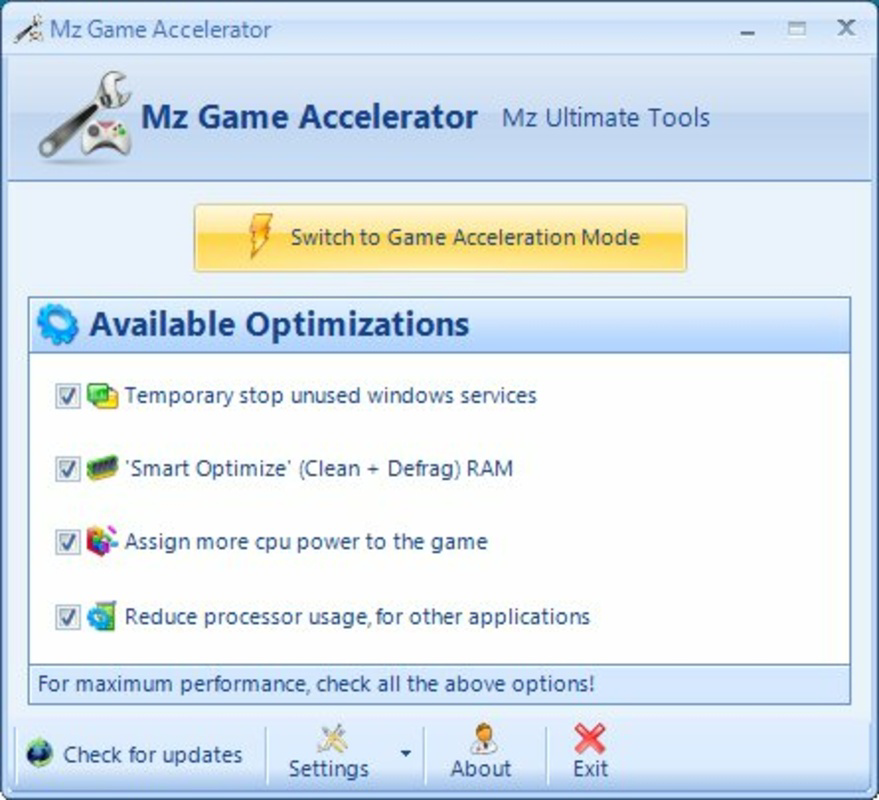
- One-Click Optimization: Activating the game accelerator mode requires only a single click, triggering a sequence of background processes to prepare the system for gaming.
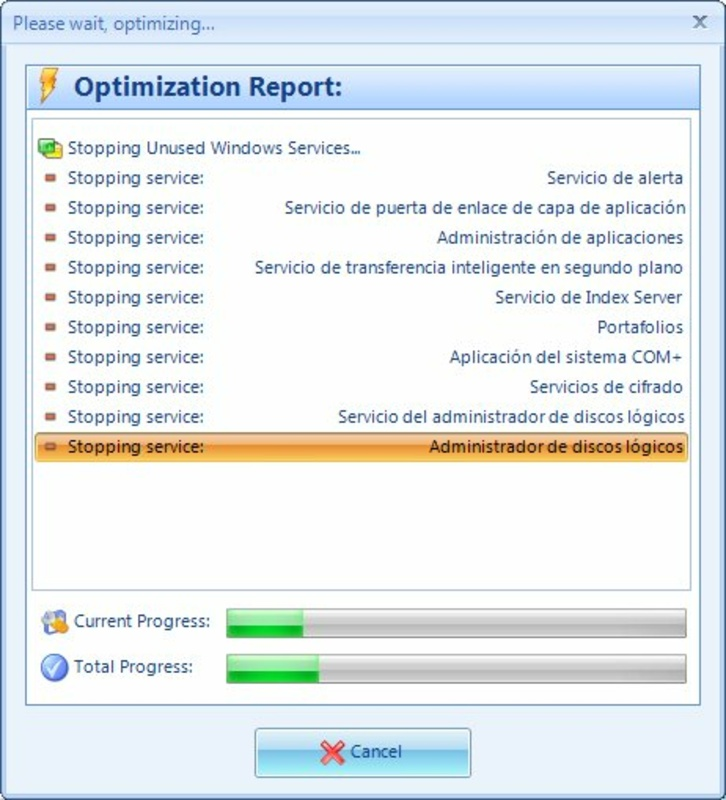
- Automatic Process Management: The app identifies and closes non-essential background applications, reducing CPU and memory load during gameplay.
- RAM Cleanup: Mz Game Accelerator performs a memory cleanup operation, freeing up available RAM to improve game responsiveness and reduce stutter.
- CPU Performance Boost: By prioritizing gaming processes, the app enhances CPU efficiency, which can lead to higher frame rates and faster in-game actions.
- Quick Execution Time: Optimization is completed in a matter of seconds, minimizing downtime before gameplay begins.
- Compatibility with Older Systems: The app is specifically designed to deliver noticeable improvements on older or low-spec Windows machines.
For example, a user preparing to play a demanding game on a five-year-old laptop could launch Mz Game Accelerator, click the start button, and be ready to play within 10 seconds. This rapid setup is ideal for users who want immediate performance gains without navigating complex system settings. The automation of resource management ensures consistent results, even for users unfamiliar with task managers or system monitoring tools.
Interface, UX & Performance
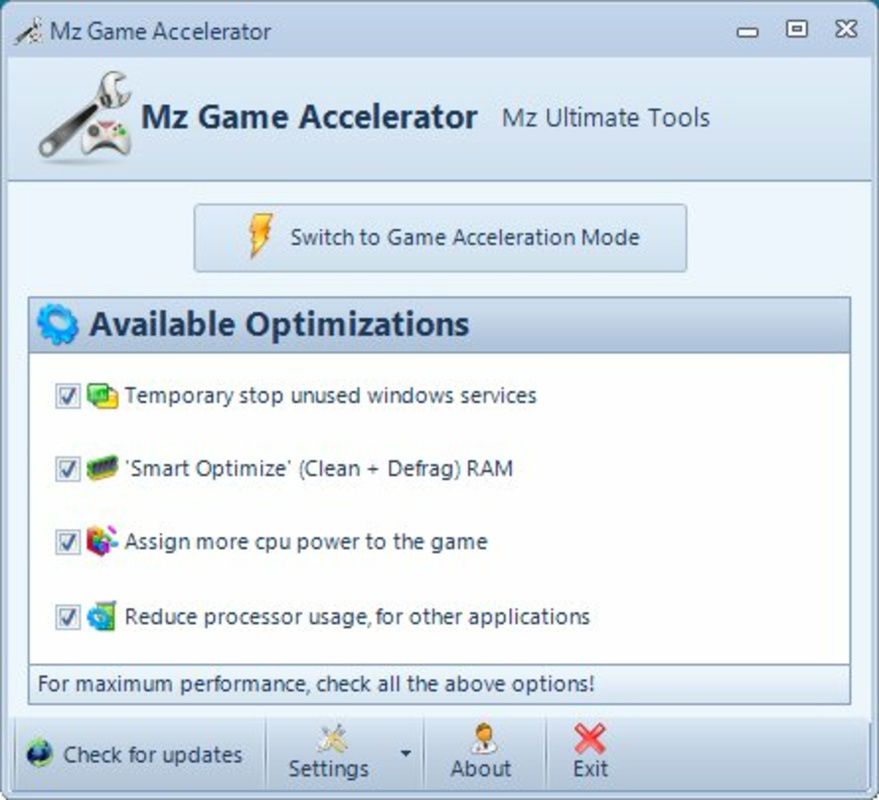
The interface of Mz Game Accelerator is intentionally minimal, featuring a clean layout with a single prominent button labeled “Start” or “Optimize.” This design prioritizes usability over visual complexity, allowing users to initiate optimization with a single tap. The app’s visual style is functional, relying on simple icons and text without animations or distractions.
Navigating the app is straightforward: users open it, click the main button, and wait for the process to complete. No configuration options, settings menus, or advanced controls are present, which simplifies the user experience but limits customization. The app does not require installation—users can run it directly from the downloaded file, which aligns with its lightweight nature.
Although the developer did not list formal performance metrics, the app’s claimed efficiency suggests it operates with low overhead. It consumes minimal system resources during both idle and active states, which is essential for a tool that aims to improve performance. Responsiveness is likely high, given the short execution time. Stability is expected to be consistent, as the app performs a limited set of predefined actions without persistent background processes. However, specific requirements for device categories were not disclosed.
Platform Compatibility & Technical Requirements
Mz Game Accelerator is available exclusively for Windows, making it accessible to users on desktop and laptop systems running the Windows operating system. The app’s file size is 2.1 MB, indicating a highly lightweight footprint that requires minimal storage space and can be downloaded quickly even on slower internet connections.
The software version is 1.0.0, suggesting an initial release with a stable core functionality. The app is free to download and use, with no in-app purchases or subscription models. While the developer did not specify minimum OS requirements, compatibility with modern Windows versions such as Windows 10 and Windows 11 is likely. However, the developer did not provide detailed compatibility information for older versions like Windows 7 or 8.1.
As a portable application, Mz Game Accelerator does not require installation, which enhances its portability across different Windows devices. This feature is beneficial for users who prefer not to modify their system’s registry or install additional software. The absence of installation requirements also reduces the risk of conflicts with other programs.
Pros and Cons
Pros
- Free to download and use with no hidden costs
- Extremely lightweight at just 2.1 MB
- Simple one-click interface suitable for non-technical users
- Quick optimization process lasting only a few seconds
- Designed to improve performance on older or low-spec Windows systems
- Portable – no installation required
Cons
- Limited customization options due to minimal interface
- No detailed system requirements or compatibility information provided
- Performance improvements are not quantified or verified by independent benchmarks
- Only available for Windows, with no support for macOS or Linux
- Developer did not disclose update frequency or long-term support plans
FAQ
Is Mz Game Accelerator safe to download and use?
Yes, the app is free and designed to optimize system performance. As a lightweight utility, it does not install persistent services or modify critical system files. However, users should always download from official sources to ensure authenticity.
Can I use Mz Game Accelerator on older Windows systems?
The developer did not specify minimum OS requirements, but the app’s design suggests compatibility with older Windows versions. It is particularly intended for older computers, though formal support details were not provided.
Does Mz Game Accelerator require installation?
No, Mz Game Accelerator is a portable application that can be run directly from a downloaded file without installation.
Will the app slow down my computer?
Given its small size and minimal resource usage, Mz Game Accelerator is unlikely to slow down your system. It operates briefly and then exits, leaving no lasting impact on performance.
How often should I use Mz Game Accelerator?
Users can run the app each time they start a game. Since it takes only seconds to complete, it can be used repeatedly without inconvenience.
Final Thoughts
Mz Game Accelerator delivers on its core promise: a fast, simple, and free way to boost gaming performance on Windows systems. Its one-click functionality and lightweight design make it ideal for users who want immediate results without technical overhead. While it lacks advanced features and detailed system specifications, its focus on usability and accessibility sets it apart in the productivity tool category.
For gamers using older hardware or those seeking a no-fuss optimization method, Mz Game Accelerator offers tangible value. It fills a niche for users who want a reliable, portable tool that enhances gameplay with minimal effort. The app’s efficiency and zero cost make it a compelling choice in the crowded field of system utilities.
Download Mz Game Accelerator now
Guides & Tutorials for Mz Game Accelerator
How to install Mz Game Accelerator
- Click the Preview / Download button above.
- Once redirected, accept the terms and click Install.
- Wait for the Mz Game Accelerator download to finish on your device.
How to use Mz Game Accelerator
This software is primarily used for its core features described above. Open the app after installation to explore its capabilities.
User Reviews for Mz Game Accelerator 0
No reviews found


